The vehicle is already in the yard
It is ready to be dismantled, but its future parts do not yet exist as products.
VIRTUAL DISMANTLING WITH REENCAR APP
ReenCar App helps vehicle dismantlers digitise a vehicle before it is taken apart. It creates a list of future parts, adds found OEM numbers and prepares the list for review and export.
No registration — choose one of three demo vehicles.
 ReenCar App
TIME TO FIRST SALE
The vehicle has already been bought, but its parts are not yet in your database. Every removed part must be named, matched with an OEM number, photographed and added to your system. Until then, the vehicle cannot start paying for itself.
It is ready to be dismantled, but its future parts do not yet exist as products.
Customers cannot see the available parts, prices, condition or stock.
An employee checks catalogues, searches for OEM numbers and builds the list by hand.
ReenCar App creates a digital parts list before physical dismantling is complete. Instead of long manual work, you get the base for your product catalogue in minutes.
HOW THE APP WORKS
ReenCar App fills in most vehicle data from the VIN. You only need to check the vehicle, choose how each assembly will be sold and review the finished list.
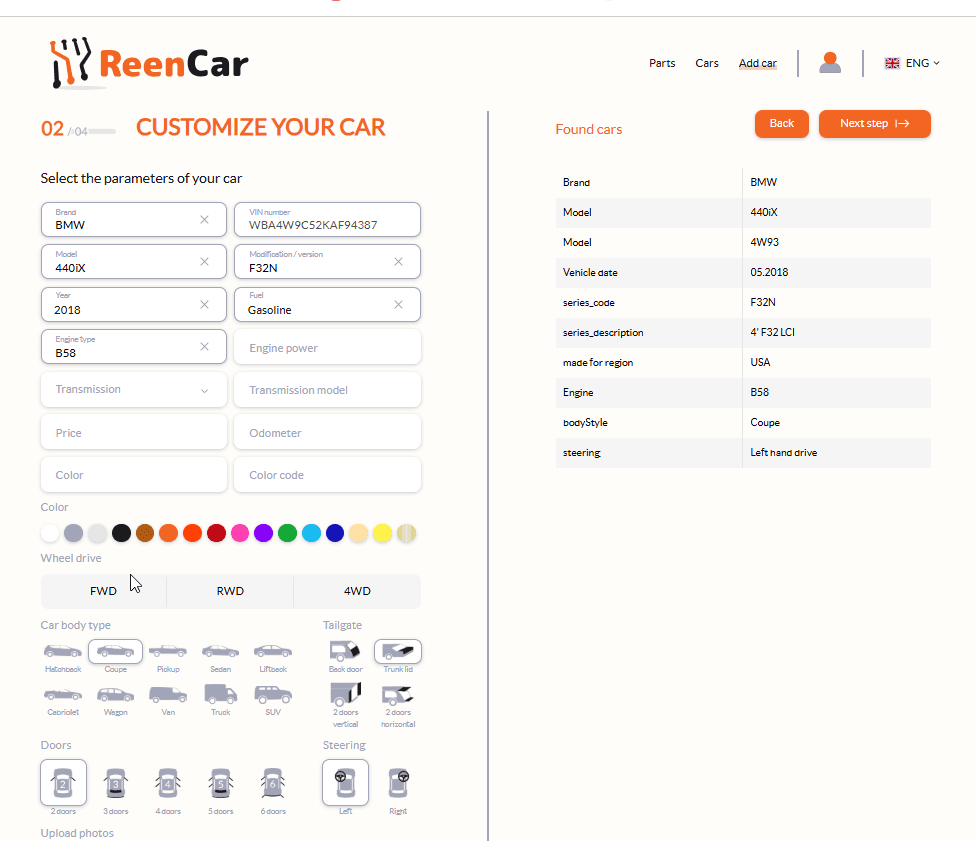
Enter the VIN. The make, model, year, engine and other details are filled in automatically. Add only what you know: colour, mileage, purchase price and any missing details.
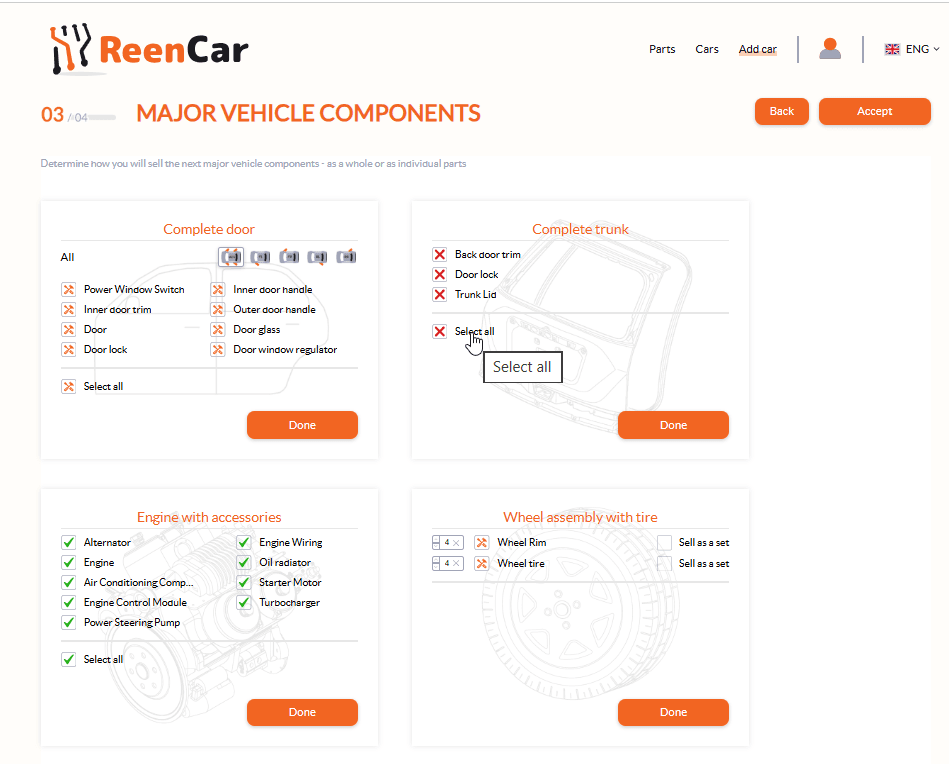
For each main assembly, choose whether to sell it whole, split it into separate parts or leave it out of the price list.
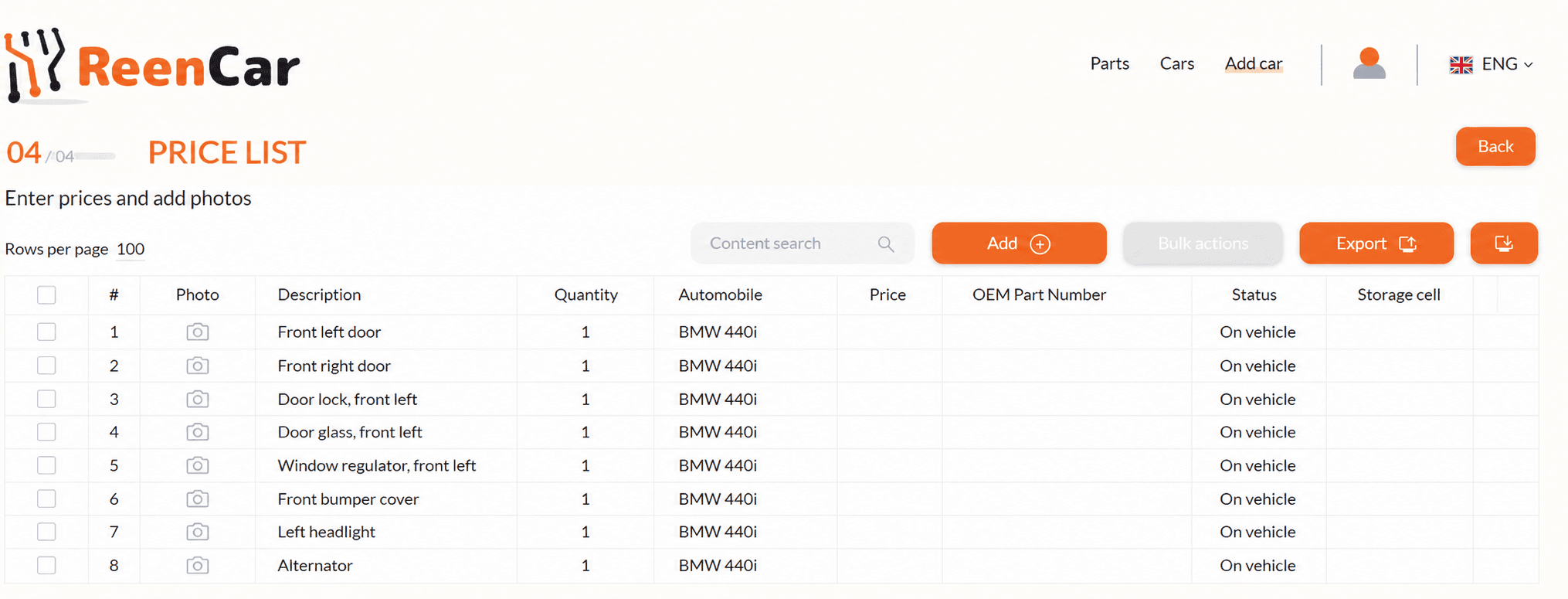
Check the names and OEM numbers, then add photos, prices, statuses and storage locations. Export the reviewed list to Excel.
RESULT
Parts are grouped by vehicle assembly, with found original numbers added to the relevant items.
Your team can add part photos, set prices and update descriptions.
Track whether a part is still on the vehicle, in storage, reserved or sold.
Export the reviewed list for your website, marketplace or internal system.
ReenCar App prepares the first list faster, but automatically found data should be reviewed before publication. The app shows which items need attention.
NEXT STEP
Open the demo and virtually dismantle one of three vehicles. If you want to discuss how the product could work for your business, send us a request.